 Skip to content


About Slope Snowball
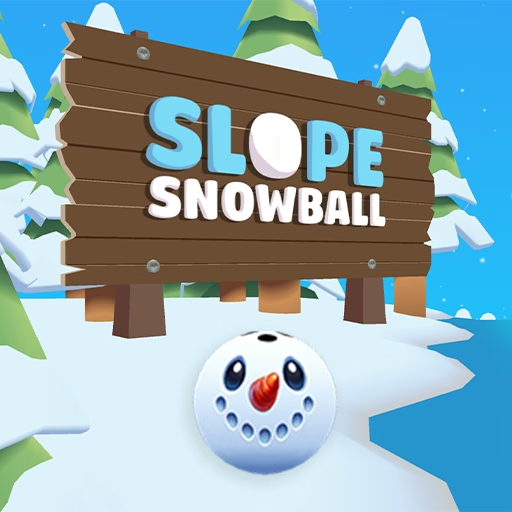
Slope Snowball brings winter scenery to a rolling-ball challenge. A ball with a snowman face travels along a blue, icy-looking track, with a snowy forest around the course. You steer as the run unfolds, keeping your attention on the visible track and the space around its colored borders.
When an attempt ends, a Game Over screen shows your score and offers a restart button. The main menu also has a shop with character designs. The snowman, polar bear and penguin give the ball different appearances, and the shop displays prices using gingerbread icons. Try a run first to learn the movement, then explore the menu when you are ready to change your look.
How to Play Slope Snowball
Press Space on the menu to start. Use the steering controls to guide the ball along the track, and pay attention to the route ahead as the scenery passes by.
- Start from the main menu with Space.
- Steer using the arrow keys, A/D or Q/D.
- Read the track's shape and give its colored borders room as you move.
- Check the score displayed at Game Over, then use the restart button for another attempt.
- Visit the shop from the menu to browse the available character designs.
A useful first run is one where you learn the response to your steering. Make a small movement, notice how the ball changes position, and leave time to adjust before reaching the next section. As you become more comfortable, concentrate on looking farther ahead rather than reacting only to the area directly beneath the ball.
Controls & Timing
Starting and continuing
Space starts the game from the main menu. On the high-score screen, the game also displays a Space prompt for continuing. After Game Over, use the visible restart button to begin another attempt.
Steering on the track
The game lists the arrow keys, A/D and Q/D as steering options. Choose the pair that feels comfortable and practice small movements while watching the ball's position on the blue track.
Reading the borders
Red and orange borders make the edges of the course easier to see against the icy surface. Use them as visual references when deciding how much space you have for a turn, especially when the route changes direction.
Choosing a character
The shop displays a snowman, a polar bear priced at 100 gingerbread icons, and a penguin priced at 200. Check the balance and the displayed options in the menu when choosing a design.
Controls
| Input | Action |
|---|---|
| Arrow keys, A/D or Q/D | Steer the ball. |
| Space on the main menu | Start the game. |
| Space on the high-score screen | Continue. |
| Restart button at Game Over | Begin another attempt. |
High Score Tips
- Look beyond the ball. The next part of the icy track gives you more useful information than the ball's current position alone.
- Leave a margin near borders. The colored edges provide a visual reference for how much room remains when you steer.
- Start with measured movements. Small adjustments help you learn how steering affects your position without committing to a large turn.
- Read each result. The Game Over screen displays a score, giving you a way to compare one attempt with the next.
- Adjust one decision at a time. If a turn did not place the ball where you expected, try a different steering approach on the following run and observe the result.
Key Features
- A snowman-faced rolling ball on an icy blue course.
- Snowy forest scenery and colored track borders.
- Steering with arrow keys, A/D or Q/D.
- A Game Over score and a restart button.
- A shop with snowman, polar bear and penguin designs.
Frequently Asked Questions
How do I start a run?
Press Space on the main menu.
How do I steer the snowball?
Use the arrow keys, A/D or Q/D. The game lists these options when a run begins.
Where can I see my score?
Your score appears on the Game Over screen after an attempt ends.
Can I change the ball's appearance?
The main-menu shop displays different character designs. The polar bear is listed at 100 gingerbread icons and the penguin at 200; check the shop for your current balance and options.
How do I play again after Game Over?
Use the restart button on the Game Over screen to begin another attempt.